How to check domain authority for free: one domain, ten, or a whole watchlist
Published
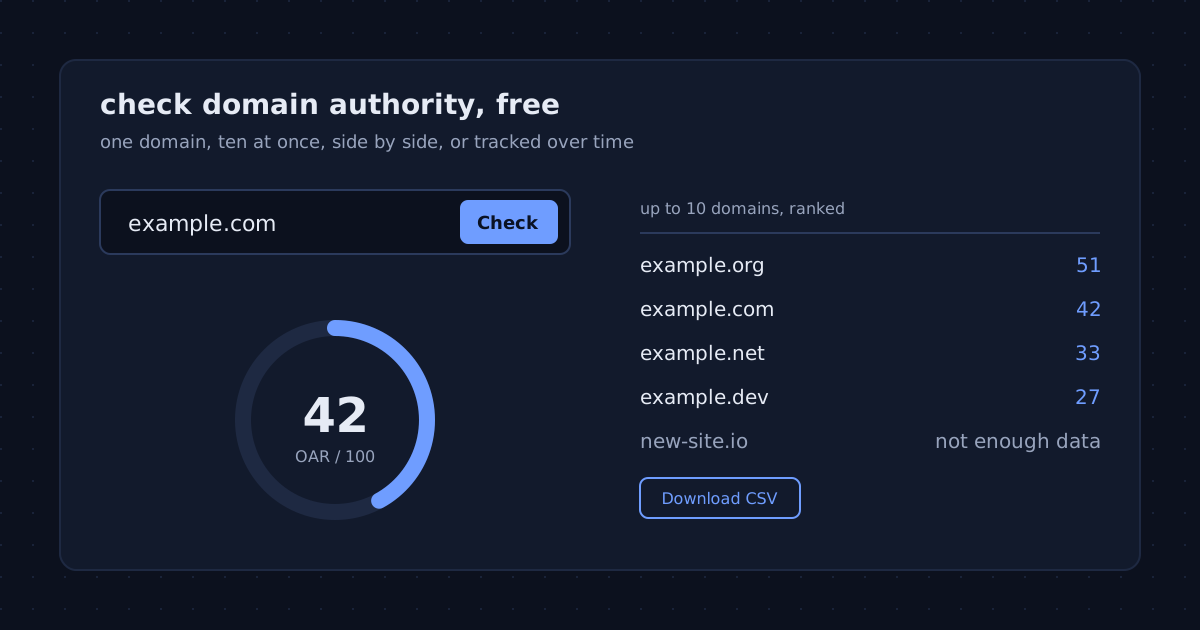
You can check domain authority for free, without an account, and get a number whose method you can read. Most well-known authority scores come from commercial link indexes that put their full data behind a subscription. The Open Authority Rating (OAR) on this site is computed from the public Common Crawl web graph with a published formula, so checking a domain, a list of domains or a whole watchlist costs nothing. This guide walks through each way to do it and what to read in the result.
Check one domain in a few seconds
Type a domain into the search box on the homepage and you land on its page. At the top is the OAR, a number from 0 to 100, with the two ranks it is built from: the domain’s harmonic centrality rank, weighted 0.7, and its PageRank rank, weighted 0.3, both taken from the same Common Crawl release. The page also says which release the score comes from, when it was computed, how the domain compares with the rest of the web, and what drives the score up or down.
Some domains show no number. That happens when a domain has too little presence in the link graph for an honest score, which is common for new or very small sites. The page says so instead of estimating, and the domain usually appears once other sites link to it.
Read the number on the right scale
OAR is logarithmic: each tenfold step in a domain’s rank moves the score by about 12 points, so a 40 is not “forty percent” but already a very strong position, and a score in the twenties puts a domain in the top 1% of the web. Our guide to what a good score is explains the bands. If you are used to Ahrefs DR or Moz DA, do not expect the numbers to match; they come from different data and curves, as why domain authority scores disagree explains.
Check up to ten domains at once
Checking competitors one by one is slow. The bulk check takes a list of up to ten domains, one per line or separated by commas, and returns a single table ranked by real OAR, with any domain that has no score yet listed last instead of guessed. The table can be downloaded as a CSV file with the same rows and scores, ready for a spreadsheet or a client report. Eleven or more domains are refused with a clear message, so the table always loads quickly.
Put two or three domains side by side
For a closer look at a short list, the compare view puts two or three domains next to each other: the score, both ranks and the trend for each. Each domain page has a “compare with” box, and every comparison has its own link you can share, so a decision between two candidate domains, or between you and a rival, can be settled with one URL.
Track domains over time
A score is a snapshot of one crawl release. Common Crawl publishes a new domain graph roughly monthly, each built from about three months of crawling, and every known domain is re-scored when a release lands. To follow that, create a free account and track domains from their pages or from the dashboard, up to 200 of them. The dashboard shows each domain’s current score, how far it has moved since you started tracking and its recent trend; it sorts by the biggest change and exports to CSV. Our guide to reading an authority trend explains when a move is real and when it is noise between releases.
Browse instead of searching
If you want context rather than one answer, the top lists show the highest-rated domains, and all rated domains lists every scored domain from A to Z. Both are useful for seeing what a given score looks like in practice before you judge your own.
Use the free API for your own tools
Developers can fetch the same score programmatically. The score endpoint is free, needs no key and allows 1,000 requests an hour; enrichment data and top lists need a key on the paid tier. The API documentation lists the endpoints and the response format.
Which domains to check, and in what order
A score means most next to other scores, so a useful first session checks a small, deliberate set rather than one domain in isolation:
- Your own domain. Note the score, the release it comes from and the trend, so you have a baseline to measure against.
- Three to five direct competitors. Paste them into the bulk check with your own domain. Where you sit in that table says more than where you sit on the 0 to 100 scale.
- Sites you would like links or mentions from. If you keep an outreach list, ranking it by score shows which prospects carry the most weight in the link graph. Relevance still matters more than the number: a well-connected site in your own field beats a stronger one in an unrelated field.
- Any domain you are about to buy or partner with. A sudden drop in its trend, or a score far below what its age and size suggest, is a reason to look closer before you commit.
Once that set is tracked on the dashboard, each new crawl release shows who moved and by how much, without checking anything by hand again.
Common mistakes when reading a free score
- Comparing numbers from different tools. An OAR of 30 and a DR of 30 are not the same claim. Compare domains within one tool, never one domain across tools.
- Treating one release as a trend. A move of a point or two between releases is often noise. Look at several releases before deciding a domain is rising or falling.
- Reading “not enough data” as zero. It means the link graph has too little to go on yet, not that the domain is worthless. New sites usually get a score once other sites start linking to them.
- Chasing the number itself. A score follows links; it cannot be raised directly. Work that earns links from well-connected sites in your field is what moves it, slowly, because the scale is logarithmic.
What a free check can and cannot tell you
An authority score describes a domain’s position in the public link graph. It does not measure traffic, content quality or trustworthiness, and no authority score, ours included, predicts search rankings. Use it to compare domains on equal terms, to spot a domain that is gaining or losing links, and to sanity-check a site before you buy it or partner with it; our checklist for vetting a domain covers the other checks that matter. And if you are building a site of your own to earn from, Online Money Blog’s guide to making your own websites covers the steps before authority is even a question.
The short answer
To check domain authority for free, look up the domain: no account is needed. Paste up to ten into the bulk check to rank them in one table, compare two or three side by side, and create a free account to track up to 200 over time.
OAR measures a domain’s position in the public link graph. It does not measure content quality, traffic or trustworthiness, and it predicts nothing about search rankings. Domain Rating and Domain Authority are trademarks of their respective owners.